What Does Your Digital Identity Say About You?

During the last few weeks in my EDTC300 class we have been focusing on the topic of digital identity. There’s many different ways one can explain digital identity. One I think reflects it best though is “Your digital identity is a permanent collection of data about you that is online” (BinaryTattoo). Digital identity can be contradictive to ones True identity. The definition of identity being “The distinguishing character or personality of an individual” (Merriam-Webster). In other words, the way many people live their lives offline is different to the way they portray their lives online.

digital identity

What do you think your digital identity reflects?

A sad example of the false or seemingly different identities one can have online is Madison Holleran. In the article “Split Image” by Kate Fagan I learned Madison was a young, pretty girl who ran track at Pennsylvania University.  Her digital identity  displayed a very positive, happy person. She had many pictures of her smiling and laughing with friends and enjoying time with family on her Instagram. Her online persona, unfortunately was not an accurate display of her life as on January 17th, 2014 she committed suicide.

madison.PNG

A few smiling pictures of Madison

The above example is an extreme, but not an uncommon theme of the differing identities one can have online vs. their real life identity. The article “Having multiple online identities is more normal than you think”  by Nicole Lee (Twitter: @nicole) goes beyond just having one identity online into several identities or personas. She mentions the idea of a “finstagram”: a fake Instagram separate from your real, and tailored to perfection real Instagram to take the pressure off having a perfect feed to present to the world as “you”. Nicole did a poll on her twitter regarding how many of her follower’s had more than one twitter account , and to my surprise the results were fairly even.

nicole twitter pic.jpg

The results from Nicole’s Twitter Pole.

I was curious to see what the results of this same type of poll would be among my own age demographic and peers. I tweeted out my own poll, via my  twitter account(@GlascockKennedy). My results yielded an even greater number of multiple accounts among the same platform, not surprising due to our digital obsessed generation.

twitter.jpg

Thanks to everyone who participated!

I asked the voters to respond with their reasoning for having more than one of the same social media platforms, there was defiantly a trend in their responses. All the voters that responded mentioned having a professional account, besides having a personal account. Defiantly understandable in this day and age, when a google search of someone’s name goes hand in hand with a resume when applying for jobs.  There was also some accounts used for different interests, such as pets!

twiiter com 2twitter com 1

To go along with our discussion on digital identity this week in EDTC300 we got a fun assignment to Cyber Sleuth (creep) our classmates! Me and Justine Garret partnered up for this. This happens to be a speciality of most of me and Justine’s generation so I’m excited to see what she can dig up!

I started cyber sleuthing Justine the same way any rational millennial would, A Facebook search. It took me a loooong time to find Justine’s Facebook, and a fair amount of hardcore creeping. When I Finally found it though I realized she had her privacy settings locked up tight, the only way her account was identifiable was her profile picture.. She even subbed her last name for her middle name. not a bad idea for a teacher.  I’m embarrassed to admit that I took this assignment so far as to make a fake Facebook to find this out, as I don’t have a profile at all…talk about a false online identity. Next step, Instagram.
justine facebook

I was shocked to fin out Justine wasn’t on  Instagram. How does she stay up to date on her friends selfies, food pics, and nights out?! I wouldn’t be surprised though, after the lengths she went to make her Facebook private if she did have a very private account under a different name. Either way, a bust on that account. Next I tried a place I knew I could not fail, her twitter.

Justine’s twitter is very professional. Her tweets and likes are almost entirely connected to education. From her twitter feed it seems she passionate about Agriculture, anti-bullying, being a life long learner and educational technology. I was able to read some great post regarding “The Power of Life Long Learning” and “Chrome Tips For Teachers” and a few others. If your not following Justine already I Suggest you do (@msjgarrett).
Justines twitter.PNG

Justine had her blog address linked to her twitter bio, so I headed their next. She has a really great professional blog. I loved her blog design! I headed to her “About Me” page and found out a lot about her!

justines blog.PNG

I read that she grew up on a ranch in Cabri Saskatchewan, which I already had an idea about. She has a passion for sports, dance, her family, and owns a Clydesdale horse named Diesel…COOL! I also read her reasons for becoming a teacher and found that there very similar to my own. She wants to inspire students and provide as many opportunities as possible to them.

Lastly I finished up with the ultimate test of an online sleuth, a Google search. I found little else that I already had about Justine. A few results came up showing her involvement in her high schools SRC as Prime Minister, and some sporting events she participated in including track, and volleyball. 

Justine’s overall Digital Identity is a very clean one. Though her identity is minuscule, when she does have accounts made public their very professional and positive. Her passion for agriculture, education, and sport is evident in almost all her online foot prints. She comes of as very put together, compassionate, and kind!
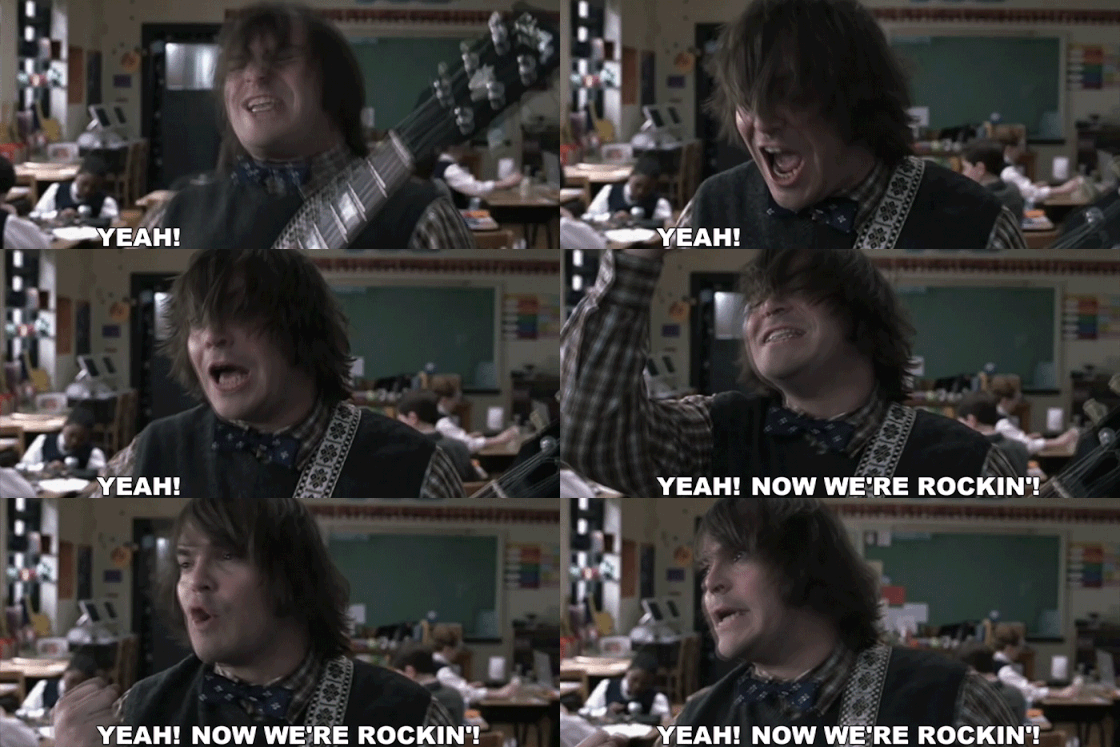


Marty Music And Midterm Madness

This week for my learning project I learned POWER CHORDS. Power chords, are chords played with only two notes (only two strings are used to play this). Their most commonly heard on electric guitars in rock songs. Some of the most legendary guitar solos have been played with the use of power chords, thus, they’ve been dubbed the back bone of Rock ‘n Roll. Below are some of the all-time great songs of Rock ‘n Roll that highlight the use of power chords. These songs include “You Really Got Me” by The Kinks, “Come On To Me” by Paul McCartney, and “Hit Me With Your Best Shot” by Pat Benetar (Hint: all songs are linked to Apple Music).

Along with my trusty Yousician app this week, I also enlisted the help of Marty Music on YouTube. As I’ve learned previously, learning new chords is tough. They require repetition and muscle memorization. With the help of the above resources though I was able to learn the basics.

Watching Marty’s video on YouTube was very helpful. I was able to slow down the video in order to follow exactly where his fingers moved along the guitar, and follow along at my own pace. Marty is a great teacher, and has over one million subscribers on YouTube to prove it! He’s able to explain guitar theory and skills at a level even the most beginner players can follow. He also uses both acoustic and electric guitars in his video’s. This is helpful as it seems a lot of online resources are based solely around electric guitars. The sound between an acoustic and electric guitar is no where near comparable, so its nice to find learning resources compatible with my own acoustic guitar. Marty’s YouTube channel is defiantly a great resource I will continue to use and suggest to others, whether  a beginner or an expert! Below is the video I used oh his lesson on power chords.

I used my Yousician app and iPhone camera this week to measure my progress.  I found one of my favourite songs “Mississippi Queen” by Mountain on the app and, thought it was a perfect fit for learning power chords.  Below is a video of the progress I made this week.  In the bottom left corner I overlaid my yousician app, displaying the notes played and whether I hit those notes correctly or incorrectly.

My progress was marginal this week. I was a tad bit too eager at the beginning of the week and, managed to give myself a blister on my strumming hand. It turns out strumming power chords requires a lot more force than I expected. I was forced to take a dew days off to let it heal but, I was still able to hit my practice goal of three hours a week. Some progress is better than no progress!

Next week I’m in full blown midterm mode, A.K.A I will basically be completing life’s bare necessity tasks of eating, sleeping, and studying. This tight schedule doesn’t leave a lot of time for practicing guitar. Thus, I’m seriously considering dedicating a week of my learning project to the important major motion picture School of Rock and its relevance to standardization in school systems and cultural effect on young musicians, particularly guitar players. Not sure how my awesome EDTC-300 instructor, Katia Hildebrandt would feel about this, but I think it has the potential to be a very educational theory project. On second thought maybe ill just stick to learning some new chords. Stay tuned to find out!

My top tips for learning power chords:

  1. Learn with a fun song – there’s so many legendary songs you could use learning this skill. Learning Mississippi Queen made the experience a lot of fun for me, and I practiced regularly because of it.
  2. Don’t over do it – playing power chords are particularly hard on your strumming fingers, as your applying a lot more force to the strings than usual. Limit your playing time your first couple of sessions to avoid the painful blisters I received midway through the week.
  3.  If you don’t sound like Black Sabbath don’t worry about it – If I’ve learned one thing so far, its that learning guitar takes above all else patience. Keep practicing and the results will come!

A YouTube Reminder

YouTube has turned into the largest online video sharing platform in the world. YouTube enables easy and fast video uploading and sharing. This allows for a large variety of content to be made easily available to the public. Teachers have zeroed in on YouTube as a great source to find educational content for students and promote digital citizenship. Like any widely used internet source though, it can often be abused.
youtube in classroom.PNG

The following Remind conversation highlights some of the many advantages and disadvantages of YouTube as an educational resource. This conversation takes place in regards to a fictional grade eight social studies classroom. Ms. Glascock (me) has assigned students to find current event topics to watch and discuss briefly during the beginning of class. Two parents, Jocelyn and Kaitlyn have learned about the assignment from their kids and have some concerns about the YouTube.

pic 1

pic 2.jpg

pic3.jpg

pic 4

Both parents are expressing a concern for the use of YouTube in the classroom. The believe that their children have way too much screen time already and they don’t need anymore while they are at school. They are also very concerned with the current challenge that is all over the internet known as the Momo challenge. This challenge instructs the viewer to share the post in a certain amount of time or else they will die. It also gives instructions on how to self harm and commit suicide. Both of these arguments are true and are valid reasons why students should not be allowed on YouTube at school, but there are many benefits of it if it is used properly.

The teacher is using YouTube as a way to engage her students with current events. They are given the assignment and must critically search through YouTube to find valid, concrete sources. This task not only promotes critical thinking, but it also contributes to their digital citizenship. Digital citizenship is how you interact with the internet and other users on the internet.

Through this assignment, students are interacting with both political and social current events that affect them in one way or another. They are then able to connect with other people who are also interested or affected by these current events and discuss and ask questions. This builds a good relationship with technology and encourages students to use the internet for good and not in a way that might get them into trouble.
Sources:

Sources:

Remind is a free text messaging App, aimed at teachers, students, and parents. It allows for fast and easy communication, while keeping personal information such as phone numbers private.

The Momo Challenge uses a very spooky photo of a chinese based character to coax people on multiple different internet platforms, including YouTube into acts violence and self harm. Scarier yet, much of the Momo content is targeted at children. Click the link to learn more about the Momo Challenge.

The Distraction free YouTube extension allows you to remove distractions in the form of ads on YouTube, as well as inappropriate content such as the Momo Challenge.

Twitter was also used in gaining valuable opinions of YouTube in the classroom from fellow educators, and education students. Thanks too everyone who participated!

YouTube was also used in the making of this blog post, for searching up information such as digital citizenship, and the Momo Challenge. This proves how useful it really can be in education!

A Guitar Journey to One Day: inspiration and practicing old skills

After a VERY relaxing reading week I’m back and ready to hit the books.Between Netflix binges on the break, I did mange to get some actual work done. I scoured the internet for inspiration for my guitar learning journey.  I found some great guitar players and inspired I was!

Facing West Music on Instagram features two sister singer songwriters who happen to be awesome at guitar, among other instruments. I loved their modern take on country music.

Patrick Breen Music on Instagram was also a big inspiration to me this week. He’s an up and coming singer/songwriter with some awesome new songs out. Check out his single The Waters! His true passion seems to be guitar. His Instagram page is full of “groovy” jams he’s created on guitar. Lots of his music is based on alternative/rock, but he also has some great country mixed in.

Watching these two artists motivated me to keep improving on my own learning journey this week. Going into Reading week I knew I waned to improve on past skills. I decided to put a focus on playing chords. Before I ever picked up a guitar, I desperately wanted to be able to play the twangy cowboy chords heard in country music. I struggled with learning this skill  however. The pace at which I had to memorize where to put my fingers and when to strum proved very challenging for me.

As time went on and I kept practicing my fingers found their way along the strings of my guitar. Although I’m nowhere near as good as the Patrick Breen or the Facing West sister’s I’ve made a lot of progress. Below is a video of my first time playing a song on Yousician called El Condor Pasa, versus me playing the same song a month later after a considerable amount of practice (ps. Forgive the acoustics in my kitchen). You can see in the overlay on the video the Yousicain app displaying the chords to be played and whether I played those chords right or wrong.

Watching my progress was motivating for me. I remember how frustrated I was when I first started learning this song. It took me many attempts before I was even able to complete the song, let alone before I could play it well. I realize now that with enough practice that I could one day be as good as even my inspirations!

Next week I plan on continuing learning chords. Ill be leaning power chords! Power chords are typically played in rock songs on electric guitar. Their often heard in heavy shredding guitar solos. wish me and my acoustic good luck!

The Art Of Fretting

Fretting; the act of holding down, or “choking” a string and playing that corresponding note. A task that seems easy but, as I learned this week has its challenges. The practice of fretting is more commonly used for electric guitars in rock songs. I figured my acoustic would work the same, even if the sound is less desirable.

My trusty Yousician app started me of easy learning the skill. At first, I was only working on one to two string moving back and forth slowly. It didn’t take me long to think id mastered this simplistic skill. As I progressed to more difficult songs though I realized this wasn’t as simple as I had thought. The music started getting faster, and more strings were being introduced. This upped the difficulty considerably.

I found the most helpful practice to learning this skill was similar to the one I used for chording, in which I had also previously struggled with. I practiced placing my fingers along the strings without actually playing the notes, over and over. My muscle memorization seemed to be the key determinant to my success. The more I practiced a song, the more my fingers magically seemed to know where to travel along the strings. It turns out practice really does make perfect.

1

My biggest fan this week

The following video shows my progression learning fretting this week. I start by learning simple songs that only introduce the fretting of one or two strings, then progress to much harder songs that are faster, and include the fretting of many strings Be warned, this is not the works of a musical prodigy. However, I have included a video of a professional demonstrating what good guitar fretting really looks like and sounds like for comparison.

I found videoing my progress this week to be a very helpful learning tool. I was able to see where I was making mistakes more clearly and how I could correct them. It was also very motivational, as I wanted to present my best possible playing! Any guitar players feel free to critique my Playing. Any tips would be welcome!

I have also been following my own advice this week, regarding knowing when enough is enough regarding playing time. My previous five-hour a week practice target has taken a considerable hit because of this but, I believe it’s helping rather than hurting. Too much time spent practicing makes learning begin to feel too much like work, rather than a fun past time. I am now aiming for a goal of three to four hours a week and am having just as much success with my skill progression.

During our school break (😊😊😊) I will be recapping on my previously learned skills. I’ll be going back to previously passed Yousician levels and watched YouTube Videos and further replaying and enhancing skills that I might of at first brushed over.

Have a great February break everyone!

giphy yay 1.gif

yay for spring break!


A Digital Classroom In a Digital World

Picture this. Its 2004. I’m a very curious six-year-old who has just laid eyes on their first iMac computer. I’ve never seen anything like this before. This is futuristic, its cool, it has a ton of buttons I’d love to push. I nervously glance over my shoulder at my mom, who has instructed me that this is her special work computer, not a toy. I can’t resist though. I go for the first button I see. The power button it turns out. The mac’s startup chime echoes throughout the office…busted.

imac

Apple imac G3

This story is really my first experience with technology. Now days, by the age of six most children have mastered the ins and outs of surfing the internet, communicating via texting or Snapchat, and have developed a social media presence. This is a far cry from my experience with technology at six, but nothing compared to what my parents experienced or even children growing up in the early 90’s.

Technology has taken over our worlds. It changed everything from the way we communicate to the way we carry out our daily tasks. Most millennials wouldn’t even know how to function without high speed internet, let alone without the latest and greatest smart phone. The thought of millennials with the first mobile phones (or bricks) slung over their shoulder desperately trying to reach out to friends to get the most up to date information is comical to say the least.

Technology has changed the culture of our lives. Its empowered so many people who have created jobs as bloggers, online influencers and IT personnel among thousands of others. It’s created a platform for people to better project their voice into the world. One of the main platforms in use online today is YouTube. In watching An Anthropological Introduction to YouTube by Michael Wesch, I learned just how YouTube has come to change so many aspects in our world.

From Michael’s video I learned that YouTube was really the first place that made uploading and viewing video content online accessible. YouTube changed how we view content and participate in an online world. Videos of anything, from anybody could be posted, opening the world to a ton of new content. This meant anyone could find themselves the latest star of the internet with even the simplest videos. Michael deemed YouTube “A celebration of a new form of empowerment” and that’s exactly what YouTube has increasingly become.

Technology has also changed the way we educate our children. Educational technology really has opened up a new world for teachers and students alike. From the time children are in their early years of elementary school their using the latest technology to connect them to their learning material. It acts as a limitless resource. All the information in the world is available at the click of a button. This means students can use sources such as YouTube and Google to help with a tough math problem or chemistry concept. Thus, students can be more independent learners. The use of technology in the classroom can make learning more exciting for students. The interactive and visual proponents used in academic learning are undoubtedly more fun for students than looking at a piece of paper.

Teachers have also put technology to use in almost all of their daily classroom tasks. They use it for attendance, to communicate with staff and parents, for lesson planning, and a teaching tool, it’s even replaced the whiteboard. Computers are also the most optimal way to store information. Teachers can now save all their work on one device, cutting down the amount of important information they have to lug around from class to class. It can all be stored on one device.

Though technology has benefited schools greatly there are also some disadvantages. Obviously with all that information at the tips of your fingers some inappropriate material might be found too. The viewing of violent or even pornographic material is of serious concern for educators, and you never know just what’s going to pop up on the internet. The recent epidemic of “fake news” is also of growing concern. Often everything children, or even adults read on the internet they take to be true. This is no the case however and we need to ensure we teach children this. The act of cheating has also become easier than ever with the use of smart phones. A smart phone can be a tempting tool to use during a test or homework assignment. There also a relatively easy tool to conceal and with all that information at the touch of a button it can be hard to resist.

With all the young people using social media apps and websites to connect the problem of cyber bullying is a growing problem among school aged children. Kids often use devices as a façade to hide behind when using technology for this tragic purpose. The lack of face to face connection makes cruel remarks easier to send. It’s also hard to find an escape from this type of bullying, as everyone seems to be connected to a smart device at all times. Just like regular bullying, cyber bullying has a great effect on children personally as well academically. Teachers constantly need to be on the lookout for cyber bullying, even though it can be hard to see the signs.

Despite some of the more prominent disadvantages in educational technology, it will definitely still be an important part of my future classroom. With technology still increasingly on the rise I think its important to prepare students for this. I do believe it’s important to educate students on being safe digital citizens however to avoid the dangers of living in a digital society. As a secondary teacher I will also be teaching some difficult content matter I believe, from personal experience that students can benefit from learning from multiple resources. For example, Sources like YouTube have awesome subject based content that can be very helpful for students. I feel it would be detrimental to students learning in this day and age not to supply them with helpful technology sources.

My Main Points for Using Ed Tech in The Classroom:
1. Students need to learn how to use technology in the classroom so they can continue to thrive with it out of the classroom in a digital based world.
2. It’s a limitless resource. Having another platform to learn from is a huge advantage, especially one that’s available 24/7.
3. Educational technology can make lesson more exciting via the fun visuals and ability to be more interactive with apps like Kahoot.
4. Helps classroom organization. Teachers can save documents and information on students on one device.
5. Communication. Teachers can easily and safely communicate with students, and parent via apps like Remind, that allow for messages to be sent without sharing personal phone numbers.

edtech

yay for Ed Tech in a digital world!

Is That Music I Hear?

Well another week has passed in my guitar journey, and I’m sad to report I’m still no Stevie Nicks, but I have reached a level three skill level according to my Yousician app! This loosely translates to “your still bad but at least its starting to sound somewhat like music”.

yousician 2

It takes a lot of work to still be this bad! 😆

I’m glad I picked a project to learn that I’m interested in, as I realize just how much work it is to learn something new. The stress of midterm season makes it challenging to prioritize doing, but I do find it to be an escape from my endless stack of flashcards and readings. Its defiantly something I look forward to doing everyday.

I did not reach my five-hour practice goal this week due to a biology midterm and a negging illness, but I still made progress on my chords. I think my short time away from practicing actually helped in the long run. My fingers were able to heal, and I cleared my head of my previous frustrations.

My new positive mindset seemed to help my playing considerably. My fingers began to memorize chords better, and my timing improved greatly. I was also having a lot more fun practicing beginner versions of livewire and Sweet Home Alabama. I’m beginning to learn that just having fun might be the key to learning a new instrument. It seems that the more frustrated I become learning a new skill the worse it sounds. In the future i’ll defiantly focus on knowing when enough is enough.

Stay tuned for next week when I take on fretting!


A Twitter Marathon: My First #Saskedchat

This week I participated in my first Twitter chat. I chose #Saskedchat, which runs Thursday at 8 pm. I chose this chat specifically because of its relevance to Saskatchewan education. I figured interacting with teachers in Saskatchewan would best inform me for the field I was heading into, and its people I could possibly even be working with in the future!

I was initially nervous about my first Twitter chat. This was partly because I still feel new to the Twitter in general, and partly because as a new education student I realized I was far less informed about education than many of the other participants. My nerves disappeared early on the chat however. I loved the interaction and different perspectives I got to experience.

I wasn’t expecting the level of interaction I experienced. My notification bell was constantly lighting up during the chat with reply’s and likes. I also wasn’t expecting the chat to be as fast paced as it was, and by fast paced I mean this was me the whole time…

giphy

My tips for anyone who hasn’t participated in a Twitter chat yet or struggled the first time would be:
1) Use Tweetdeck or a similar app. This allows you to manage several Twitter feeds at once. Be sure to have the chat administer opened on their own feed to keep up with questions.
2) Turn off notifications for other social media accounts. Receiving a follow request on Instagram or a like on Facebook can make it tempting to hop pages for just a moment. Don’t do it! Chances are you’ll find your self lost in the chat when you come back.
3) Be interactive. Now is not the time to be introverted. Comment on tweets and give out lots of likes. I got lots of new followers and was able to find other great educators to by doing this.

Overall, my first Twitter chat experience was great! I got to see many different perspectives on topics relating to education, and had some great interactions with different educators and fellow students! I’m beginning to learn how important collaboration is in the field of education, and Twitter chats are another great faucet for this.

I hope to see many of you in this Thursdays #Saskedchat, as its on the topic of “Students as Critical Consumers”. What a great topic for EDTC 300 students!

Feedly: Weird Name, Great Resource

WOW! Feedly is what I’ve been missing in my life. The self-proclaimed smart reader that helps you stay ahead of the curve is exactly that. The app allows you to stay connected to new information/ideas/inspiration in pretty much whatever category, trend, skill, or fun you want. The app reminds me off Pinterest, in that you can choose what categories you want to see and they show upon your personal newsfeed, but more informative.

So far, I’ve been able to follow several teacher technology pages, teacher run blogs, and pages dedicated to staying current in the education field. Upon initially downloading the app I added most of the pages I’ve found to be great resources from recommendations from Feedly, other classmate recommendations were helpful as well though. Two pages I’ve found to be exceptionally informative and helpful are Cool Cat Teacher and Educational Technology.

Cool Cat Teacher is dedicated to sharing information on everyday classroom advice. Whether you want to know how to get your students to think out of the box, how to improve building good relationships with your students’ parents, or how to stay sane while in the classroom she’s your girl. I found her page to be helpful because it addresses issues students don’t’ typically think about when joining the education field. Things such as teacher relationships with parents weren’t on the forefront of my mind when I decided on education, but know I’m glad I have the knowledge to help me in these future situations.

Educational Technology is a great page for keeping up to date with the latest and greatest educational technology. I’ve already book marked a few pages to use in the future for my classroom. I even found one organizational note-taking app I found on the page for myself called Google Keep. The app allows you to make to- do lists, record voice memos, organize important photos and much more, all on your phone, and smart device. Educational Technology also shares about apps for kids with ADHD, and resources for science teachers and students, among many other helpful posts. This is defiantly a page I can see myself looking to for technology help in the classroom, and even for my own personal life.

I’m looking forward to exploring more on Feedly, and adding more categories of my interests and finding other great pages on educational resources. Feedly is a game changer for anyone that values staying in the loop and up to date information.

feedly

follow me on twitter @GlascockKennedy for my best finds on Feedly

A Rough Start

I’ve hit my first road block on my learning project journey. I’m down and out this week with the flu. As I write this, I’m in bed surrounded by Advil, vitamins, chicken noodle soup, and multiple herbal teas. As a result, my progress this week has been minimal, but not a complete bust as I still managed to get my five hours of practice time in.

This weekend I began to practice chords on the guitar. For you non-music buffs a chord is a combination of single notes played at the same time. So far, I’m finding it challenging. My fingers can not seem to memorize where to be on the strings fast enough. Also, they hurt!

A few people warned me about the implications guitars strings would cause my fingers, but I was quick to brush it off as something that only effected the fragile finger pads of children. The burn like marks on index and middle finger are real however, and make every day tasks like simply turning a page uncomfortable. I also found my hands cramp up a lot when I play, from the unnatural baseball bat like grip needed.

While my hands healed, I took the opportunity to look up a couple YouTube videos on how to push past troubles with my clumsy fingers. One that I found particularly helpful was about muscle memory. It explained that if you simply practicing holding and releasing the position of the chord without playing it the movement will eventually become second nature to your hands. I had some good initial progress practicing this before falling ill this week.

During this next week I still want to maintain my focus on playing chords, and hopefully be able to make more progress! Fingers crossed ill be able to make enough to be able to post a progress video. Stay tuned!

chords.PNG

Some of the chords I’ve been learning- the circles are the notes where I place my fingers